New Member Area New to Monte Carlo Forum? Stop in tell us about you.

How to post photos here

Thread Tools
 
Search this Thread
 
Old Nov 24, 2011 | 10:35 PM
  #41  
All Star's Avatar
Joined: Nov 2011
Posts: 21
From: New Jersey
Default

That helps a little bit, not quite the answer I was hoping for. The engineer in me wants to believe the system should have an auto-resize like feature so the pictures don't crash people's browsers when they view the threads.

For now, I'll get by with resizing within photo-bucket, I never knew you could even edit stuff on there until now. Thanks for the quick reply to the trivial problems I have, lol.
 
Old Nov 27, 2011 | 04:41 PM
  #42  
butch049's Avatar
Monte Of The Month -- September 2015
5 Year Member3 Year Member1 Year Member
Joined: Nov 2011
Posts: 1,042
From: Concordia Ks.
Default

was trying to put pictures on forum but kept failing is there anyway to email them to u and have u put them on butch049 2002 monte carlo heartbeat
 
Old Nov 27, 2011 | 06:39 PM
  #43  
Taz's Avatar
Taz

Monte Of The Month -- March 2014
10 Year Member5 Year Member3 Year Member1 Year Member
Joined: Aug 2007
Posts: 18,660
From: Windsor
15 Year Member
Default

Originally Posted by butch049
was trying to put pictures on forum but kept failing is there anyway to email them to u and have u put them on butch049 2002 monte carlo heartbeat
It sounds like your pictures are probably too big.

The easiest way to do it would be to open a photobucket (www.photobucket.com) account. It's free. Photobucket will automatically reduce the size to a website friendly size, and won't reduce the quality like uploading to the forum does. And you would be able to use your pictures anywhere on the net, not just here.
 
Old Dec 6, 2012 | 01:01 PM
  #44  
red04montels's Avatar
Monte Of The Month -- September 2010
10 Year Member5 Year Member3 Year Member1 Year Member
Joined: Aug 2009
Posts: 9,380
From: Wisconsin
15 Year Member
Default

Originally Posted by LucacHumach
I am a business professor with anthropological training.
holy bump what?!
 

Last edited by Space; Dec 15, 2012 at 06:15 AM.
Old Dec 10, 2012 | 03:22 AM
  #45  
owens91's Avatar
Monte Of The Month -- October 2014
5 Year Member3 Year Member1 Year Member
iTrader: (2)
Joined: Dec 2012
Posts: 2,335
From: philly pa
10 Year Member
Default

Hey im having a hard time posting pix toom everytime i choose a photo and hit save changes or upload it just disappears and nothing happens...help?
 
Old Dec 10, 2012 | 09:21 AM
  #46  
red04montels's Avatar
Monte Of The Month -- September 2010
10 Year Member5 Year Member3 Year Member1 Year Member
Joined: Aug 2009
Posts: 9,380
From: Wisconsin
15 Year Member
Old Feb 15, 2014 | 06:44 PM
  #47  
Bustacapp's Avatar
Joined: Jan 2014
Posts: 5
Default test post

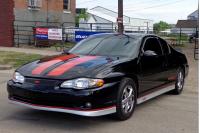
just bought a month ago 57k original miles
 
Attached Thumbnails How to post photos here-20140113_210713.jpg  
Old Feb 16, 2014 | 10:32 AM
  #48  
DEI Monte SS 04's Avatar
Joined: Feb 2008
Posts: 296
From:
Default Trying Photo

Testing a photo
 
Old Feb 16, 2014 | 10:38 AM
  #49  
DEI Monte SS 04's Avatar
Joined: Feb 2008
Posts: 296
From:
Default Testing a pictures

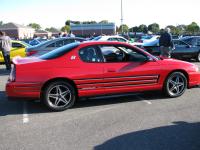
A couple of pics of my car.
 
Attached Thumbnails How to post photos here-img_0445.jpg   How to post photos here-img_0447.jpg  
Old Feb 16, 2014 | 11:03 AM
  #50  
red04montels's Avatar
Monte Of The Month -- September 2010
10 Year Member5 Year Member3 Year Member1 Year Member
Joined: Aug 2009
Posts: 9,380
From: Wisconsin
15 Year Member
Default

Year ago was the latest comment guys.... try posting in the 'showcase your ride' section if you're looking to show off your cars


All times are GMT -5. The time now is 12:12 AM.