When you click on links to various merchants on this site and make a purchase, this can result in this site earning a commission. Affiliate programs and affiliations include, but are not limited to, the eBay Partner Network.
I haven't attached a photo to a post from my pc in a long time. Has the process gotten easier? I know longer deal with photobucket.
I am not sure it is easier but you can do it two ways. 1 Select the Paper Clip or the little mountain scene next to the happy face.
Then select browse your device.
Pick out the photo's you want and hold down the control key.
It will put them in the box as a label.
Hit save.
It will put them into an album.
Then select Upload photo's.
You can also delete the ones you don't want to save.
You can label them in the little box below the photo before you upload them.
Wait till it says 100% before you upload.
**sometimes you will need to just delete a photo that won't do anything.
Hope that helps out.
I know a somewhat recent update Internet Brands did to the forum, I feel, made photo attaching easier. I am using Firefox on my PC, click an icon that looked like a black and white picture old the sun and mountains. It then brings up a panel that makes uploading pics a breeze in my book.
I know a somewhat recent update Internet Brands did to the forum, I feel, made photo attaching easier. I am using Firefox on my PC, click an icon that looked like a black and white picture old the sun and mountains. It then brings up a panel that makes uploading pics a breeze in my book.
Yea it seems like it should be easier but it just plain doesnt work for me??
The drop-down box where you click after you have clicked "upload" just does nothing for me now. I was trying to post in the white and silver monte topics but yea, cant..
Monte Of The Month -- November 2012 Monte Of The Month -- August 2015
Joined: Aug 2011
Posts: 4,793
From: Ann Arbor, Michigan
I no longer deal with Photobucket either. I just click the little image icon at the top of the dialog box and either 'browse your devise' and upload (my pics on my computer) or paste a url I copied from another site (for other random pics). That throws the image right into the post.
Here is your photo, what ever you are using to take your photo's with. Got to the settings on the device and turn up the resolution on the Photo. You want it a the Maximum level it can be. 1080p and 4k The one thing I usually do when I take a photo is turn the camera to the wider view. You get a much better photo if you do that. Just my opinion of course.



















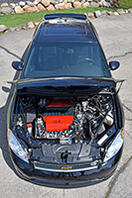
 Check this one