


The Carputer


Thread Starter
|

Joined: May 2010
Posts: 206
From: Little Egg Harbor NJ
 The Carputer
I came across this and thought i would share it
by Nick Datzov
So you want to play DVDs in your car, listen to thousands of songs without changing a CD, play Half-Life 2, browse the Internet, and you want a navigation system; but, you don't want to pay more than $400? Well, then you are just like me and what you need is a carputer! A carputer is reasonably simple to make; the hardest part is finding the motivation to start.
Initial Setup
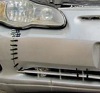
My project began as a result of boredom in my high school automotives class, and a really great sale on power inverters at Wal-Mart. To start, I purchased a 5.6" LCD screen on eBay and a 350 watt power inverter. I installed the power inverter in the car, designed a custom in-dash plate to hold the screen (see Figure 1), and tested the setup with a Playstation 2. To my delight, everything worked flawlessly
Carputer Version 1.0
I wanted this project to be completely custom and as low-cost as possible, so I decided to build my own computer to replace the Playstation 2. The first step was to design a suitable case to hold all the parts. After measuring the oddly shaped spaces in my 1995 Dodge Stealth R/T, I determined that the only place the carputer would fit was in the trunk. The Stealth has very little cargo room, and this limited the size and shape of the case.
I created the case from ¼" plywood, several screws, and a metal plate to hold the motherboard. The next step was to determine an adequate level of cooling for the carputer. Because the case was going to be in a tight corner without much circulating air, cooling was obviously an issue. To keep an ample flow of air, I decided to install five fans and see if that would be sufficient. Surprisingly, the fans kept the CPU temperature around 46° C, well within the norm.
Next I ordered a 160 GB hard drive for storage, an ATI Radeon 9600 video card for watching movies, and a 5.1 channel sound card. The rest of the parts were collected from several older computers. The expenses so far included $40 for the custom case (wood, screws, and fans), $40 for the hard drive, $35 for the video card, and $15 for the sound card. The grand total came to only $130. However, Carputer v1.0 was not a complete success. My low-cost rule had driven me to ignore one of the most basic PC-building principles: compatibility.
Carputer Version 2.0
After hours of frustration in my basement attempting to force everything to function together, I decided to sacrifice some extra money and order more parts. I bought an AMD Sempron 2600+ and ECS motherboard along with one 512 MB stick of PC3200 RAM for an additional $90, bringing the carputer total to $220. Upon receiving all the parts, I mounted the new motherboard and installed the new CPU and RAM. The carputer now worked and I could begin to configure the software.
I chose to use an open source program called RoadRunner, shown in Figure 3, that conveniently manages playing music and movies, navigation, Internet browsing, radio, and several other functions. More information about RoadRunner can be found at http://www.rrdownloads.net/. After downloading the free program, I had to configure a few files to make it work. Using RoadRunner I could play music, watch video, use the navigation system, and browse the Internet, all with the click of a button. Do not be misled though: RoadRunner does not accomplish these tasks itself; it merely integrates the programs for easy use. RoadRunner also allows for customization such as changing the revolving emblem in the middle of the interface, modifying the interface template, and changing the backgrounds used by the programs
Installation
Before installing the computer box in my car, I had to run the power and sound wires, as well as the keyboard cord, under the seat. Then I had to get the proper amp converter for my car and connect it to the amplifier and sound wires. After a lot of garage time, plenty of caffeine, and some minor difficulties, everything was performing well.
The computer is controlled by a wireless minimouse and foldable soft keyboard, both of which can be stored in the center console for easy access. The computer can be updated through a USB thumb drive, and the screen can be easily removed for security purposes. This makes the carputer nearly invisible to the naked eye, which is a great benefit when the car is parked on the street.
Conclusion
The completed carputer is invaluable given the number of times I have used it. It proved that I do not have to spend $400 for an mp3 player, $1000 for an in-dash DVD player, or $500 for an in-dash navigation system. Not only did I get all of these for about $380, but I can also play computer games and browse the Internet, and I never have to deal with DVD or CD discs again. With all these capabilities, a carputer really is the ultimate car entertainment system.
by Nick Datzov
So you want to play DVDs in your car, listen to thousands of songs without changing a CD, play Half-Life 2, browse the Internet, and you want a navigation system; but, you don't want to pay more than $400? Well, then you are just like me and what you need is a carputer! A carputer is reasonably simple to make; the hardest part is finding the motivation to start.
Initial Setup
My project began as a result of boredom in my high school automotives class, and a really great sale on power inverters at Wal-Mart. To start, I purchased a 5.6" LCD screen on eBay and a 350 watt power inverter. I installed the power inverter in the car, designed a custom in-dash plate to hold the screen (see Figure 1), and tested the setup with a Playstation 2. To my delight, everything worked flawlessly
Carputer Version 1.0
I wanted this project to be completely custom and as low-cost as possible, so I decided to build my own computer to replace the Playstation 2. The first step was to design a suitable case to hold all the parts. After measuring the oddly shaped spaces in my 1995 Dodge Stealth R/T, I determined that the only place the carputer would fit was in the trunk. The Stealth has very little cargo room, and this limited the size and shape of the case.
I created the case from ¼" plywood, several screws, and a metal plate to hold the motherboard. The next step was to determine an adequate level of cooling for the carputer. Because the case was going to be in a tight corner without much circulating air, cooling was obviously an issue. To keep an ample flow of air, I decided to install five fans and see if that would be sufficient. Surprisingly, the fans kept the CPU temperature around 46° C, well within the norm.
Next I ordered a 160 GB hard drive for storage, an ATI Radeon 9600 video card for watching movies, and a 5.1 channel sound card. The rest of the parts were collected from several older computers. The expenses so far included $40 for the custom case (wood, screws, and fans), $40 for the hard drive, $35 for the video card, and $15 for the sound card. The grand total came to only $130. However, Carputer v1.0 was not a complete success. My low-cost rule had driven me to ignore one of the most basic PC-building principles: compatibility.
Carputer Version 2.0
After hours of frustration in my basement attempting to force everything to function together, I decided to sacrifice some extra money and order more parts. I bought an AMD Sempron 2600+ and ECS motherboard along with one 512 MB stick of PC3200 RAM for an additional $90, bringing the carputer total to $220. Upon receiving all the parts, I mounted the new motherboard and installed the new CPU and RAM. The carputer now worked and I could begin to configure the software.
I chose to use an open source program called RoadRunner, shown in Figure 3, that conveniently manages playing music and movies, navigation, Internet browsing, radio, and several other functions. More information about RoadRunner can be found at http://www.rrdownloads.net/. After downloading the free program, I had to configure a few files to make it work. Using RoadRunner I could play music, watch video, use the navigation system, and browse the Internet, all with the click of a button. Do not be misled though: RoadRunner does not accomplish these tasks itself; it merely integrates the programs for easy use. RoadRunner also allows for customization such as changing the revolving emblem in the middle of the interface, modifying the interface template, and changing the backgrounds used by the programs
Installation
Before installing the computer box in my car, I had to run the power and sound wires, as well as the keyboard cord, under the seat. Then I had to get the proper amp converter for my car and connect it to the amplifier and sound wires. After a lot of garage time, plenty of caffeine, and some minor difficulties, everything was performing well.
The computer is controlled by a wireless minimouse and foldable soft keyboard, both of which can be stored in the center console for easy access. The computer can be updated through a USB thumb drive, and the screen can be easily removed for security purposes. This makes the carputer nearly invisible to the naked eye, which is a great benefit when the car is parked on the street.
Conclusion
The completed carputer is invaluable given the number of times I have used it. It proved that I do not have to spend $400 for an mp3 player, $1000 for an in-dash DVD player, or $500 for an in-dash navigation system. Not only did I get all of these for about $380, but I can also play computer games and browse the Internet, and I never have to deal with DVD or CD discs again. With all these capabilities, a carputer really is the ultimate car entertainment system.








Did one, http://www.barovelli.com/projects/computer/carputer.htm
If you like putting up with PC's it's fun. Very high on the geek scale. If I ever do it again I'll use a laptop with a busted screen, the systems are much better suited to mobile use.
If you like putting up with PC's it's fun. Very high on the geek scale. If I ever do it again I'll use a laptop with a busted screen, the systems are much better suited to mobile use.


