Let's see your desktop!

Thread Starter



Joined: Jun 2009
Posts: 852
From: Dayton, ohio

 Let's see your desktop!
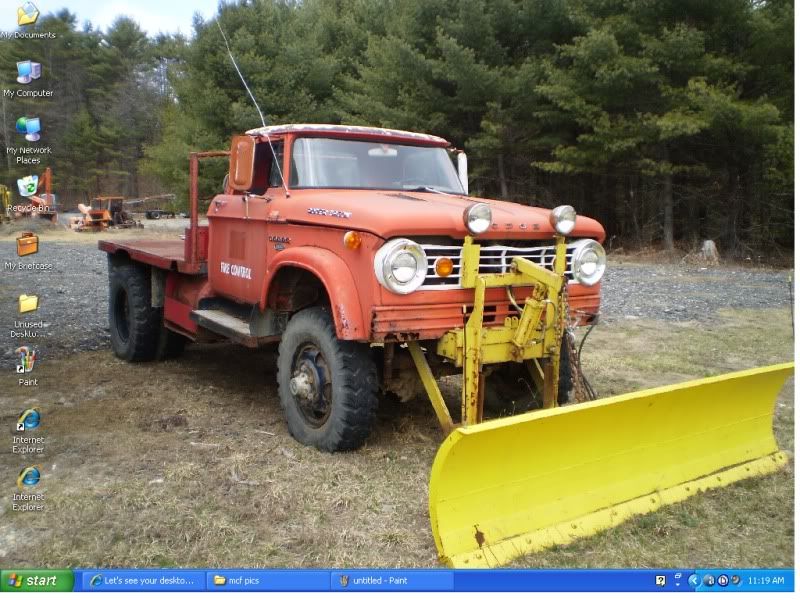
Here is a fun little post, let's see your desktop! everyone post a screen capture of your desktop! (lets try to keep it mildly clean...)
i will go first, here is a capture of my desktop!

i will go first, here is a capture of my desktop!
Last edited by The Popcorn King; Jul 20, 2009 at 09:07 AM. Reason: Pic was to large. Had to resize.







Capture a Screen Shot of your Desktop or the Active Window in Windows
Have you ever pressed the PrtScn (print screen) key on your Windows keyboard and wondered why it was
there since it never seemed to do anything? Well, it does do something! It copies an image of your screen onto the
"clipboard," ready to paste into any graphics program. These steps show you how to use it along with Windows' standard image editor, Microsoft Paint, to save an image of your screen. You can also watch a video version of this tutorial.

..Above 4 Member's like `Space that did not know how 2 do it : )
Below is my Screen...Hope it works : )
__________________________________________________
Picture 2 large & messing up thread.
there since it never seemed to do anything? Well, it does do something! It copies an image of your screen onto the
"clipboard," ready to paste into any graphics program. These steps show you how to use it along with Windows' standard image editor, Microsoft Paint, to save an image of your screen. You can also watch a video version of this tutorial.
..Above 4 Member's like `Space that did not know how 2 do it : ) Below is my Screen...Hope it works : )
__________________________________________________
Picture 2 large & messing up thread.
Click on below pic Thumb 2 View
I like `Mike's Screen : )
Last edited by Space; Jul 20, 2009 at 10:12 AM.



Monte Of The Month -- August 2014

Joined: Sep 2008
Posts: 25,145
From: Southeast PA

For others with a mac, if you don't know how to do it (shame on you) but it's command+shift+3 for a full screen shot, and that leaves a .png file on your desktop
or you can use command+shift+4 and that gives you a cross hair to make your own crop of a screen shot and put a .png file on your desktop.
or you can use command+shift+4 and that gives you a cross hair to make your own crop of a screen shot and put a .png file on your desktop.


Thread Starter
Joined: Jun 2009
Posts: 852
From: Dayton, ohio
Ugh, a MAC, sorry Chibi, i must shun you now.
seriously, what mac you got? im looking to pick up my first mac book (i know how to run OSX, but im partial to Linux so i may just throw ubuntu on there)