MCF Website Problems & Issues This area is for problems or suggestions relating specifically to the MCF site, not the car.

Adding pics to conments and garage question......

Thread Tools
 
Search this Thread
 
Old Mar 7, 2013 | 09:15 AM
  #1  
JC Colon's Avatar
Thread Starter
|
Monte Of The Month -- May 2014
3 Year Member1 Year Member
Joined: Nov 2012
Posts: 2,405
From: Kent, Wa.
5 Year Member
Default Adding pics to conments and garage question......
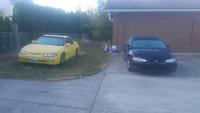
Hi MCF, I recently added new pics of my car with the new rims. On my phone, it pics are right side uo. But when I downloaded them in my pic gallery, the came out upside down. Why would the do that and how can I fix it?
 
Old Mar 8, 2013 | 10:28 PM
  #2  
Mike 00LS's Avatar
Joined: Nov 2010
Posts: 1,746
Default

Do you lock the phone in portrait orientation? A few times I've had the camera not rotate when it's locked in portrait. When you hold the phone like a camera and it doesn't rotate it essentially takes the picture sideways but it looks right on the phone.
 
Old Mar 9, 2013 | 07:17 AM
  #3  
ChibiBlackSheep's Avatar

Monte Of The Month -- August 2014

10 Year Member5 Year Member3 Year Member1 Year Member
Joined: Sep 2008
Posts: 25,145
From: Southeast PA
15 Year Member
Default

I see 2 photos in your garage and they aren't upside down.
 
Old Mar 9, 2013 | 07:59 AM
  #4  
JC Colon's Avatar
Thread Starter
|
Monte Of The Month -- May 2014
3 Year Member1 Year Member
Joined: Nov 2012
Posts: 2,405
From: Kent, Wa.
5 Year Member
Default

I have 2 photo albums. YelloJac, with 2 pics and Before and After with 6 pics. It the second album that has the upside down pics. :-(
 
Old Mar 10, 2013 | 08:11 AM
  #5  
ChibiBlackSheep's Avatar

Monte Of The Month -- August 2014

10 Year Member5 Year Member3 Year Member1 Year Member
Joined: Sep 2008
Posts: 25,145
From: Southeast PA

15 Year Member
Default

Oh okay, I see that now.

I can't download the images from that and fix them. But I can edit your albums, if you can send me a PM with the images, I can rotate them and re-upload them for you.
 
Old Mar 10, 2013 | 08:42 AM
  #6  
Mike 00LS's Avatar
Joined: Nov 2010
Posts: 1,746
Default

Originally Posted by ChibiBlackSheep
Oh okay, I see that now.

I can't download the images from that and fix them. But I can edit your albums, if you can send me a PM with the images, I can rotate them and re-upload them for you.
If you right click the "Enlarge" link and "Save Link As" you can download the picture. Granted they're only going to be as big as they appear in the enlarge window since the forum sets a max size.

Name:  user18656_pic17670_1362570453.jpg
Views: 122
Size:  93.2 KB
Name:  user18656_pic17671_1362570453.jpg
Views: 121
Size:  96.3 KB
 
Old Mar 10, 2013 | 08:46 AM
  #7  
ChibiBlackSheep's Avatar

Monte Of The Month -- August 2014
10 Year Member5 Year Member3 Year Member1 Year Member
Joined: Sep 2008
Posts: 25,145
From: Southeast PA
15 Year Member
Default

See, when I did that in Chrome it just gave me the html file of the page instead of the image lol
 
Old Mar 10, 2013 | 08:47 AM
  #8  
ChibiBlackSheep's Avatar

Monte Of The Month -- August 2014
10 Year Member5 Year Member3 Year Member1 Year Member
Joined: Sep 2008
Posts: 25,145
From: Southeast PA
15 Year Member
Default

Nevermind... I can't add the pictures for you haha.

But there they are, and rotated Thanks
 
Old Mar 14, 2013 | 03:12 PM
  #9  
aintnunbutapenut's Avatar
Joined: Mar 2013
Posts: 113
10 Year Member
Default

Need help. When I click on the "no image" tab in my garage it gives me this message-"Invalid Album specified. If you followed a valid link, please notify the administrator" and im not sure if other people can see my car, i just want to add pics in my garage
 
Old Mar 14, 2013 | 05:15 PM
  #10  
ChibiBlackSheep's Avatar

Monte Of The Month -- August 2014
10 Year Member5 Year Member3 Year Member1 Year Member
Joined: Sep 2008
Posts: 25,145
From: Southeast PA
15 Year Member
Default

Don't click the NO IMAGE icon.

In your garage, click EDIT, then at the very bottom of the information page, there is a link that says "Add More Pictures"

Click that and add them.


All times are GMT -5. The time now is 01:28 PM.